Bridgecore
Product tour

Budget Pulse

A budget check on every purchase order in SAP S/4HANA. When a PO would push a budget too far, the budget owner and controller know within minutes, while there is still time to act.

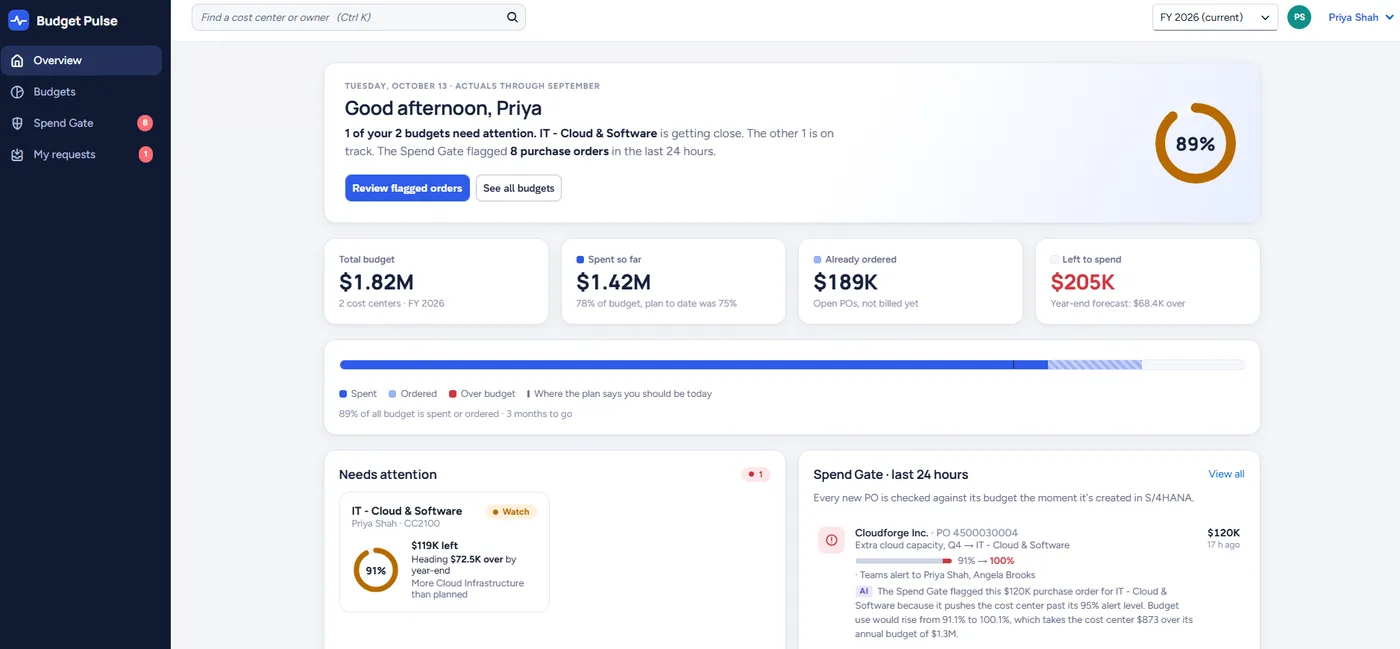
Budget Pulse overview for a budget owner: 1 of 2 budgets needs attention, $1.82M total budget, $1.42M spent, $189K already ordered, $205K left, and a year-end forecast of $68.4K over.
A budget owner's home screen: what is spent, what is already ordered, what is left, and what needs attention. Demo data.

What you get, screen by screen

Every screen below is from the working product, with demo data.

Every new PO checked against its budget

Budget Pulse picks up each new or changed purchase order in S/4HANA. It adds the PO to what the cost center has already spent and already ordered, then compares the total to the budget.

The controller sees every check in one feed: passed, warned, or over budget, with an audit log of who was told and when.

You find overspend when the PO is created, not at month-end close.
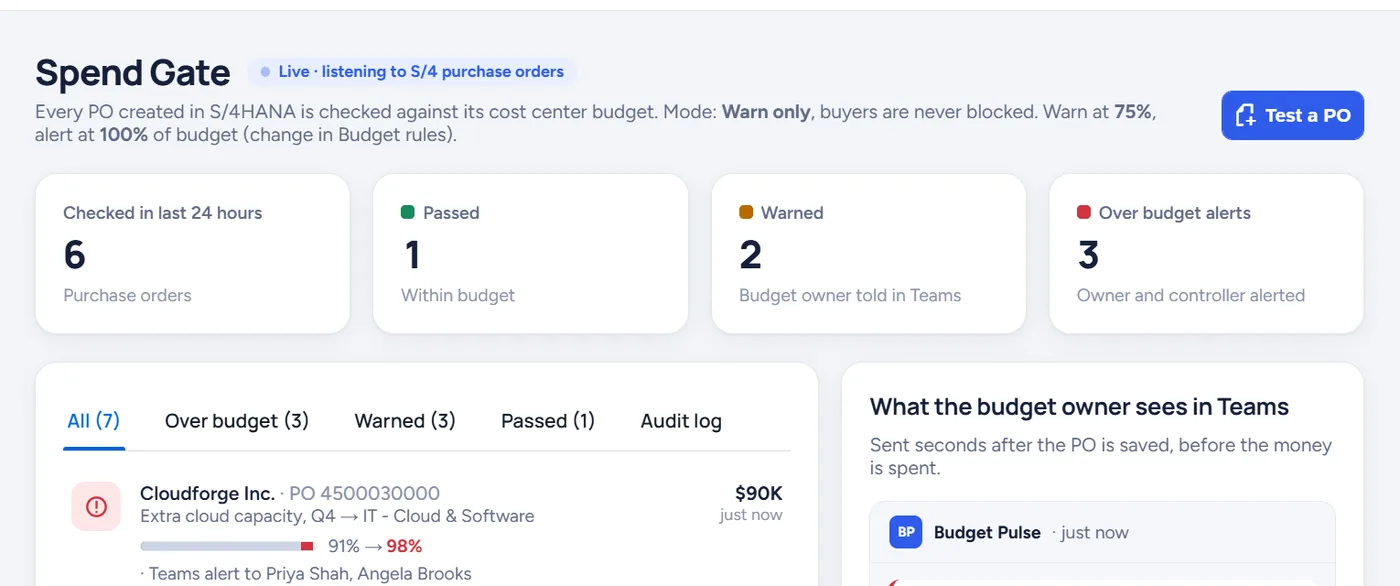
Spend Gate screen with counts of checked, passed, warned and over-budget purchase orders and a list of flagged POs.

Alerts where people already work

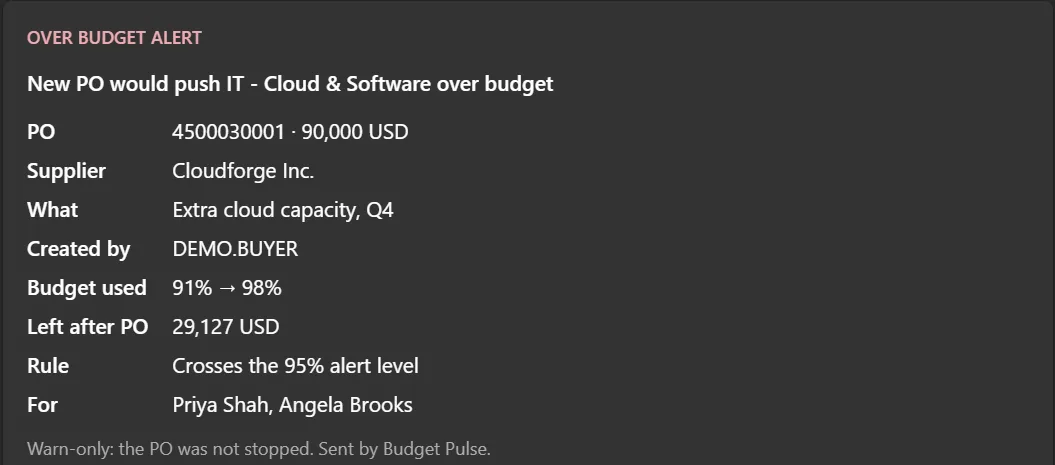
Budget owners get a Teams card and an Outlook email with the PO number, supplier, amount, how much of the budget is used before and after, and what is left.

Small orders can be ignored, and you choose who is told at each level.

The person who owns the budget hears first, without logging into SAP.
Teams over-budget alert card for a 90,000 USD purchase order.

Rules your controller sets in one screen

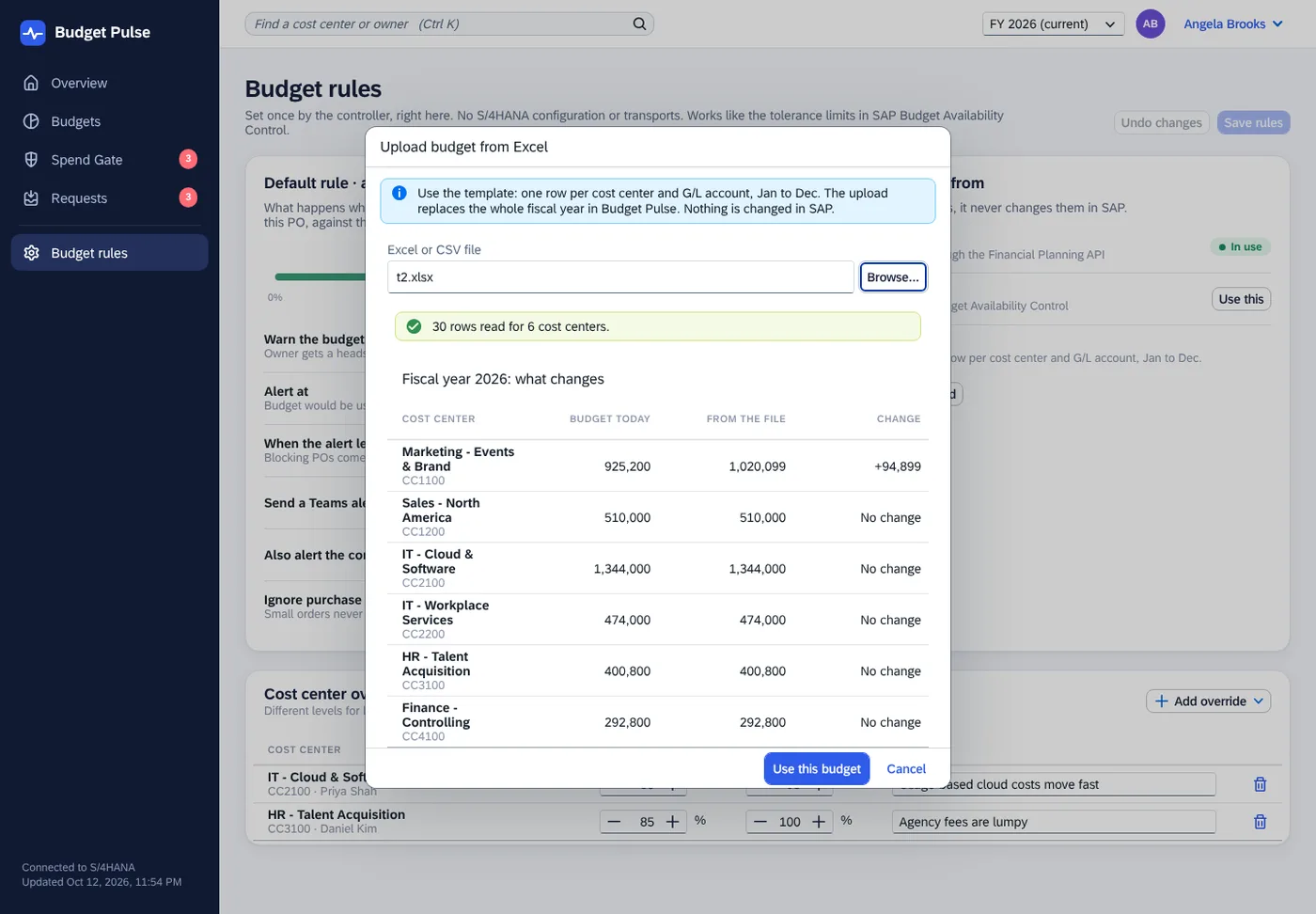
Set a warning level and an alert level, for example warn at 80% and alert at 100%. Add different levels for cost centers that need them. Budgets come from your S/4HANA plan or from an Excel upload, and you see exactly what changes before you save.

If your team knows SAP Budget Availability Control, the ideas are the same.

No SAP configuration project and no consultants needed to change a rule.
Budget upload from Excel showing, per cost center, the budget today, the amount from the file and the change.

A plain-English reason for every flag

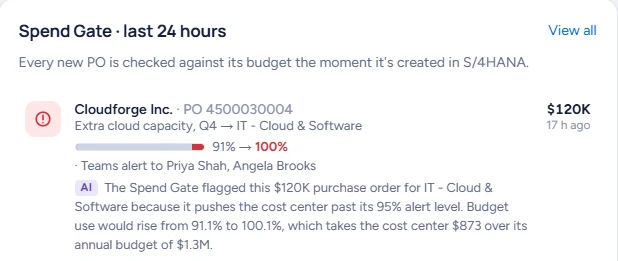
An optional AI note says why a PO was flagged in one sentence, and can explain why a budget is off plan. It appears in the app, in Teams and in Outlook.

AI is off until you turn it on. Only totals are sent, supplier names are masked, and usage has hard limits.

Works with leading AI providers like Claude and ChatGPT, with support for your company's own approved AI account coming soon.

Owners understand the alert in seconds, so they actually act on it.
A flagged purchase order with a one-sentence AI note explaining why it was flagged.

Built for everyone who touches a budget

Budget owners
Know where you stand without opening SAP. Get warned before a PO puts you over, see what is spent, ordered and left, and ask finance a question with the numbers attached.
Controllers and FP&A
Set the rules once. See every flagged PO, every alert sent and every owner response in one place, with a full audit log.
Procurement
Nothing changes for buyers. They keep creating POs in S/4HANA. Budget questions go to the budget owner instead of landing on the buyer's desk.
IT and SAP team
Nothing to maintain in SAP: no custom code in S/4HANA and no transports. Details below.

For your IT and SAP team

Budget Pulse runs side by side on SAP BTP. It reads from S/4HANA through SAP's released APIs and never writes back, so nothing in your core changes and SAP upgrades stay routine.

No custom code in S/4HANA

Nothing to transport and nothing to retest at upgrade time.

Read-only and warn-only

It shows and explains numbers. It can't post, change or block anything.

Standard interfaces

Purchase orders, budgets, actuals, cost centers and suppliers through SAP's released APIs.

Logged and checked

Every check and alert is logged with a reference id, and a health check shows each connection's status.

Architecture, data and security details

Questions

Will it block our buyers?

No. Budget Pulse is warn-only. Blocking can be added later through SAP's standard extension points if you want it.

Where do the budgets come from?

From the plan you already keep in S/4HANA, or from an Excel upload. You can switch at any time.

How fast are alerts?

Budget Pulse checks for new and changed POs every few minutes, or instantly if your S/4HANA sends business events.

Is it available now?

Yes, as a free 90-day pilot for a small number of S/4HANA companies. We do the setup with you.

Try Budget Pulse free for 90 days

Pilots are free, warn-only and read-only, and start in your test system. We do the setup. At the end you get your real numbers: POs flagged, money involved, and what owners did about it.

Book a 20-minute call
info@bridgecoresoftware.com